
There may be one of four reasons the user is encountering this problem.
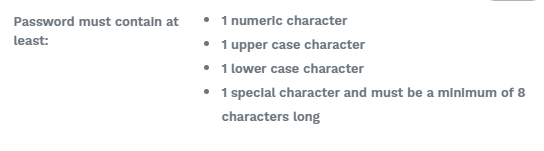
1 - The password entered doesn't meet password criteria.
2 - The user may have completed Wraw before & already registered.
3- A a valid email address is not being entered.
4 - The terms & conditions & Privacy Policy hasn't been agreed too.
1. The password entered doesn't meet password criteria.
The most common reason users have a problem with registration, is that they haven't met the password criteria when creating the password.
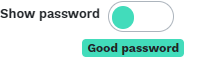
Once you have entered a password that meets the criteria a green good password icon will appear. You can use the show password function to view the characters you are entering.
If your password does not meet the criteria - your screen will list the criteria which has not been met.
2.The user has completed Wraw previously and already has a registered account for their email address.
If a user attempts to register with an email address that they have a previously registered with, they will need to select 'Have an Account? to be re-directed to the login screen.
Here the user will be able to log into your account & complete the questionnaire.
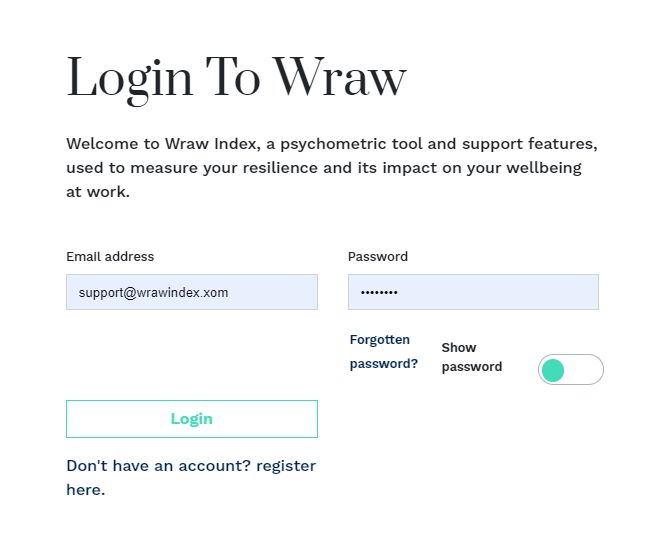
If the user has has forgotten the password for their existing account, please use the 'FORGOTTEN PASSWORD' function to reset the password.
3. The user is not using a valid email address when registering.
The registration screen will not progress until a valid email address is entered.
A valid email address must be an email account the user has access to, in order to receive notifications and use the reset password function if required.
4. The user hasn't accepted the terms & conditions by ticking the box.
All users must register & agree to the terms and conditions.
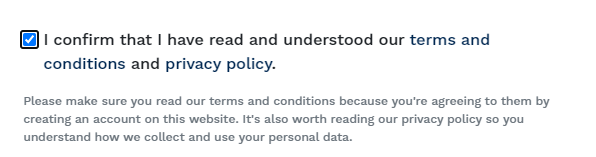
Once all the conditions on the Registration page have been met, the Registration button will activate.